Global Settings
Global or Program Settings are settings that all users will be using. These settings apply when you are sharing data files between multiple computers using the Data Location Wizard.
Any changes made here will affect all users who have access to the shared program data.
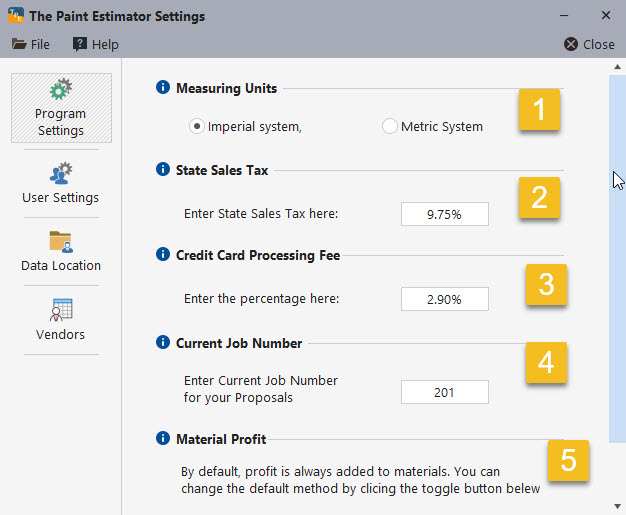
Setting Descriptions
1. Measuring Units – The default is the Imperial system, which is commonly used in the United States. This includes gallons, quarts, square feet, linear feet, and similar units.
The Metric system uses liters, meters, and other metric units. When switching between measurement systems, the program will attempt to update your materials and production rates automatically. It is recommended that you review these values after switching.
2. State Sales Tax – Enter your state sales tax percentage here. This value is used when calculating material costs for estimates.
3. Credit Card Processing Fees – If your company accepts credit cards, enter the processing fees charged by your payment processor. These fees can then be added to customer estimates when applicable.
4. Current Job Number – This value determines the starting job number for new proposals.
5. Material Profit – Set the default profit percentage that will be applied to materials when creating estimates.
If at any time you have questions, please contact support@thepaintestimator.com .