If You Are Still in the Trial Period
Read this section if you are still in the trial period and have purchased The Paint Estimator.
Step 1: Opening the Activation Form
The first step is to open the activation form. You can do this by clicking the buttons indicated in the image below.
You may either:
- Click the Help button at the top of the form, scroll down, and select Activation Form, or
- From the program’s home screen, click the Activation button located under the Evaluation Period section.

After clicking the activation button, a new form will appear.

Step 2: Entering Your User Name and Activation Code
Copy the User Name and Activation Code from the activation email you received and paste them into the corresponding fields on the activation form.
When finished, click “Request Permanent License”.
If everything was entered correctly, you will see a success message.
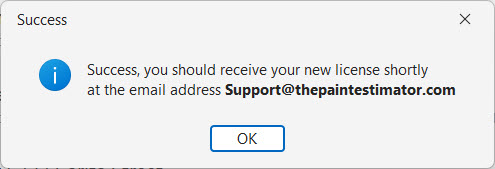
Within a few minutes, you should receive a new email containing your permanent license information.

Step 3: Installing Your Permanent License
Once you receive your permanent license email, return to the program and click the Install License button.

You will be prompted to close the program so the License Installer can start.
Step 4: Entering Your Pass Phrase
When the License Installer opens, copy the Pass Phrase from your permanent license email and paste it into the field shown below.

Click “Install License” to complete the installation.

The next time you restart the program, it will be fully licensed and ready to use.

Next Steps
If you have any questions, please contact support@thepaintestimator.com .