Materials
The Paint Estimator includes a preloaded materials database featuring Benjamin Moore and Sherwin-Williams. Prices may not reflect your local costs, so be sure to review and adjust them as needed.
If you do not use these brands due to location or preference, you can rename them using the File menu. After renaming a brand, you will need to edit or replace the materials in that list to match the products you use.
Opening the materials database
To open the materials database, click the paint bucket icon at the top of the main program.

Default material lists
The program includes multiple material lists. On first install, Benjamin Moore is selected as the default list.
The default material list determines which materials load automatically when creating or editing an estimate.
To change the default list, use the Default Material List dropdown at the top of the form and choose between Benjamin Moore, Sherwin-Williams, or Custom.
Adding and editing materials
You can add new material items by clicking the File menu or by right-clicking anywhere inside the materials form.

Existing materials can be edited in two ways:
- Right-click the item and select Edit
- Click directly into a cell and edit the value
When using the right-click edit option, a small editor panel will appear at the top of the window showing the selected item.

After making changes, click Edit. The panel will remain open until you click Close. You can select another product to edit without closing the panel.
Custom material lists
If you do not use either Benjamin Moore or Sherwin-Williams, you can create your own materials by selecting Custom from the default material list dropdown.
The custom list starts empty, allowing you to add only the products you actually use.
Templates
You can assign materials to three different templates: Interior, Exterior, and Custom.
Templates allow you to quickly load commonly used materials for a specific type of estimate, saving time and reducing scrolling.

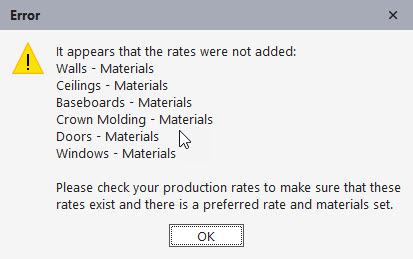
If you select a custom material list as your default, you must also define preferred materials in the Production Rates section. Otherwise, area calculators will not function correctly.
If you have any questions, please contact support@thepaintestimator.com .