Vendors
The Vendors section on the Program Settings form is simply a list of all vendors you have used when entering job materials. Each time you add a new vendor while inputting purchased materials, the vendor is automatically added to this list.
The main purpose of this feature is to save time so you do not have to repeatedly type the vendor name when purchasing materials for jobs.
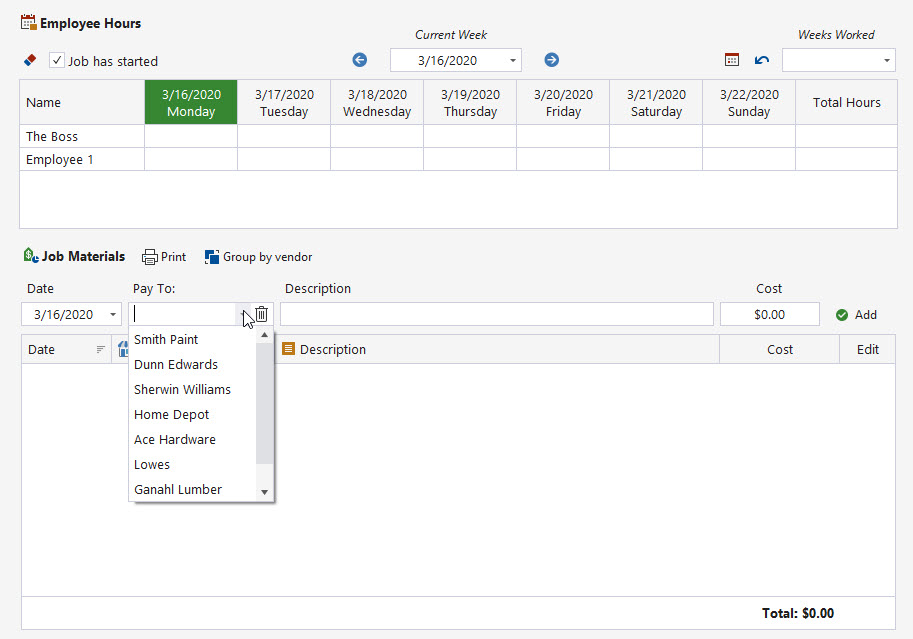
When you use the Job Materials section to enter purchased materials, the Pay To drop-down list will display vendors you have previously used. This not only saves time during data entry, but also ensures vendors are included in the expense records.
To view all vendors you have used, click the Vendors button on the Program Settings form. You will see a list similar to the example below.
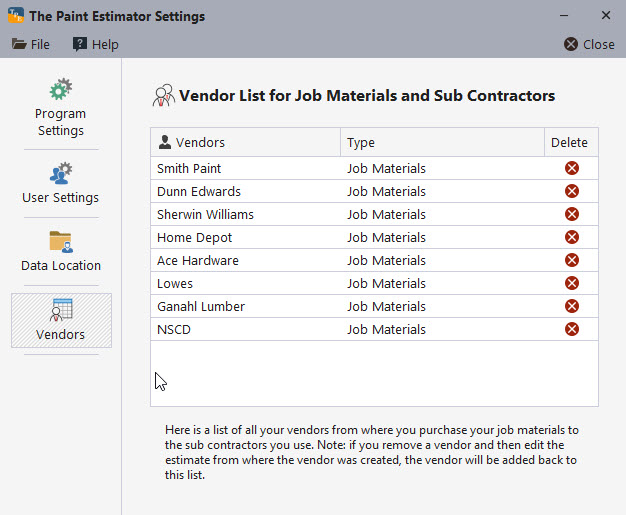
This list contains all vendors you have used when purchasing materials. You can remove a vendor by clicking the red X button next to the vendor name.
Note: If you later edit an estimate where a removed vendor was originally created, that vendor will be added back to the list automatically.
If at any time you have questions, please contact support@thepaintestimator.com .