Program Settings
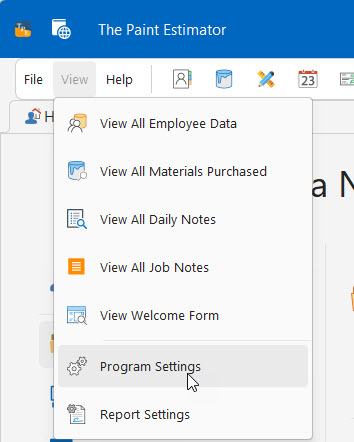
To access the program settings, you can click the View button at the top of the main form, then click the program settings button as shown below.
- Global Settings - These settings will effect all users or computers accessing the same data
- User Settings - These settings will only effect this specific computer
- Data Location Wizard - This is the wizard where you can move your data to something like Dropbox so you can share the data between computers
- Vendors - A list off your vendors that you have used